Turn any video to notes in 30 seconds.
Drop a video or audio file to get structured notes with summary & key insights and a speaker-labeled transcript. Export to Word, PDF or Markdown.
Click to import, or drag & paste audio / video here. Batch upload supported.
Supports MP3, WAV, M4A, AAC, AVI, MOV, MP4, WebM and more
No fixed size cap · audio extracted before upload
Demo mode active — sample data shown. Configure pipeline keys in admin settings for real processing.
Karpathy frames an LLM as the kernel of a new operating system: the context window is memory, tools are peripherals, and natural language orchestrates them all…
• LLM as kernel of a new computing stack · context window as RAM · tools as peripherals
• Reward models, PPO, and the "helpful assistant" persona
• Capability scales predictably with compute (scaling laws) · Prompt injection is the new SQL injection
Video to notes is an AI-powered tool that converts any video into structured, searchable notes. Whether you're watching a tutorial tutorial, attending a recorded lecture, or reviewing a webinar, it extracts the key information and organizes it into purpose-built outputs: structured notes with a summary, key sections and insights, plus a full speaker-labeled transcript for complete reference.
Unlike basic video-to-text tools that produce a wall of raw text, video to notes understands the content's structure. Students get study materials. Content creators get show notes and blog-ready outlines. Researchers get searchable transcripts. And everyone can export to Word, PDF, or Markdown — turning any video into a permanent, organized knowledge asset.
The whole workflow is built for speed: drop a file, wait about thirty seconds, and the notes are ready. No timeline scrubbing, no pausing to type, and no rewatching the same section three times. Your video library becomes as searchable as your documents.
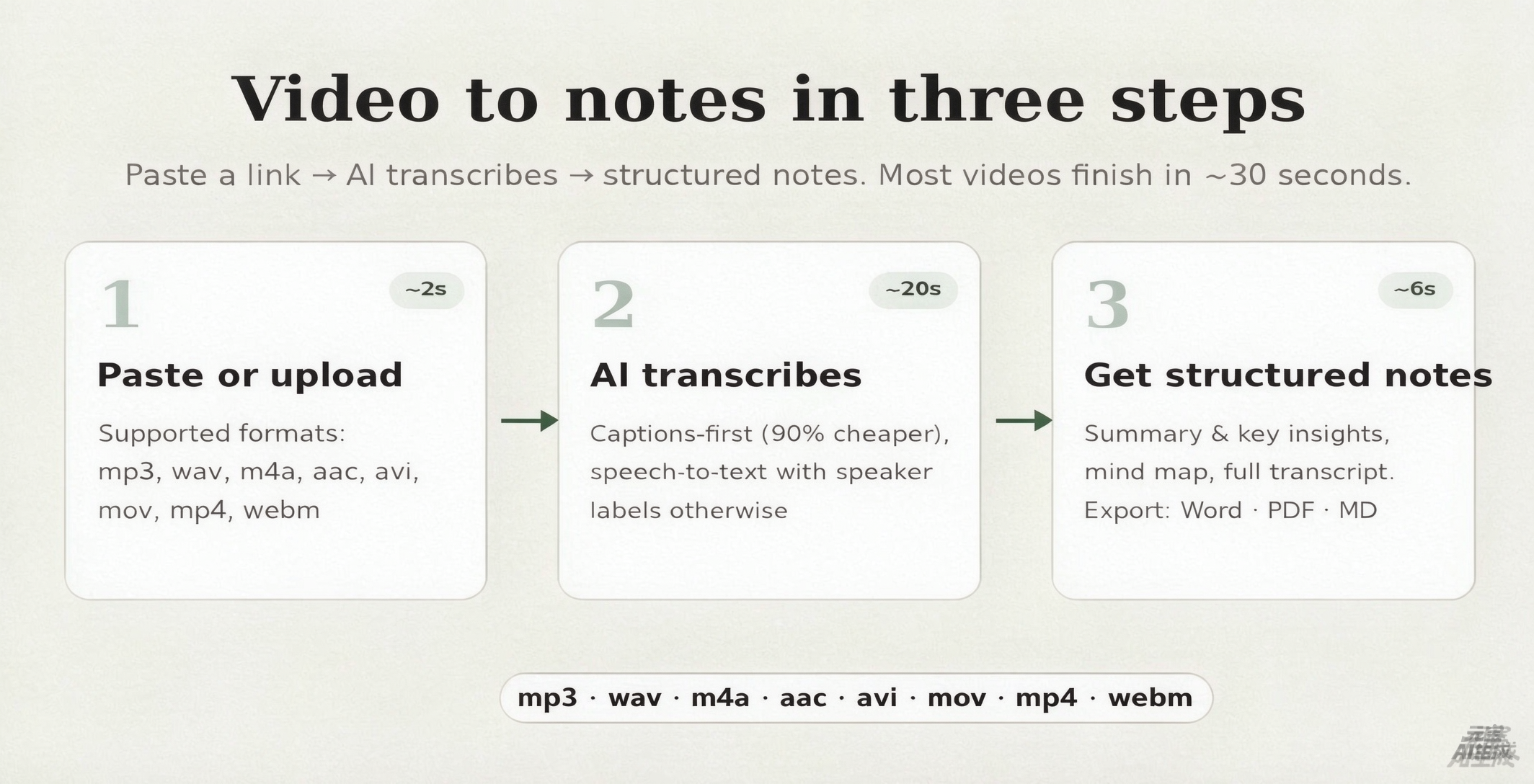
Video to notes in three steps
No timeline scrubbing. No pausing to type. The whole video to notes pipeline runs in one pass, and most links finish in about half a minute.
Upload
Drop a video or audio file of any size. Audio is extracted in your browser (WASM FFmpeg), so a 500 MB video uploads as ~30 MB of sound — faster, cheaper, and private by default.
AI transcribes
State-of-the-art speech-to-text with speaker diarization transcribes the audio tracch-to-text with speaker diarization otherwise. Works even on videos with no subtitles, in 100+ languages.
Get structured notes
Two outputs from every video: structured notes with a summary and key insights, plus the full source transcript. Export to Word, PDF or Markdown.
Built for people who learn from video
Students
Turn recorded lectures and educational videos into study notes, review questions and glossary terms. A 2-hour seminar becomes a pre-exam knowledge base you can actually search before the test.
Creators
Turn one recording into show notes, blog outlines, newsletter drafts and a speaker-labeled transcript. Weeks of derivative content from a single episode — with timestamps your editor will thank you for.
Professionals
Turn Zoom recordings, webinars and training videos into minutes, decisions and action items. Speaker labels make follow-ups unambiguous, so nobody argues about who promised what.
Self-learners
Turn online courses and conference talks into RAG-ready chunks with timestamps and frontmatter. The foundation of a second brain built from video, one lecture at a time.
Video to notes from any file
One tool for all your video files. Upload and the same pipeline — transcription, speaker labels, structured notes — works everywhere.
MP4 / MOV
The most common video formats. Upload lectures, tutorials, podcasts, and conference talks directly from your device.
WebM / MKV
Modern web and open-source container formats, fully supported with automatic audio extraction.
MP3 / WAV
Audio-only recordings: podcasts, interviews, voice memos turned into structured notes.
M4A / AAC
Apple and compressed audio. Perfect for voice memos and mobile recordings turned into notes.
Large files
No fixed size cap. Audio is extracted in your browser via WASM FFmpeg — the original video never leaves your device.
Privacy-first
Your video never leaves your device. Only the extracted audio track is processed server-side.
Ready when you are — upload a file above, or see plans for longer videos and higher volumes.
Honest engineering, not pricing tricks
The complaints about other tools are our product spec.
Captions-first saves 90%
When captions exist we fetch them directly instead of billing for speech-to-text. ~$0.002 per video vs $0.10+/hour.
Your video never leaves your browser
Audio is extracted locally via WebAssembly FFmpeg. Only ~6% of the file is ever sent. Privacy by architecture.
Works without subtitles, up to 2 hours
Our ASR with speaker diarization handles caption-less uploads, screen recordings and podcasts.
Exports that don't lose formatting
Word, PDF, Markdown and RAG-ready chunks. Structure survives the trip to Notion and Obsidian.
Video to notes FAQ
Is it really free? What's the catch?+
What happens to videos without subtitles?+
How is this different from NoteGPT / Eightify?+
Is my video data private?+
Can I export to Word, PDF, or Markdown?+
How long can the video be?+
Which languages does video to notes support?+
Pricing
Choose the plan that works for you.
Free
For trying things out
- 20 credits per month
- Refreshes on the 1st of each month
Basic
For casual users
- 500 credits
- = 500 min of video / audio
Pro
For students & daily learners
- 1,300 credits
- = 1,300 min of video / audio
- API & MCP access
Ultimate
For creators & teams
- 3,000 credits
- = 3,000 min of video / audio
- API & MCP access
Stop rewatching.
Start remembering.
Your next video is 30 seconds away from becoming permanent knowledge.
Get Notes FreeFree credits on signup · No credit card · No credit card required